Quick Start
The easiest way to try the agent is to find an MP4 video of a road with moving vehicles (ideally recorded from an overhead position) and run the following Docker commands:
$ docker pull public.ecr.aws/arcloud/vehicle-detector-agent:latest
$ docker run \
    --publish 8000:80 \
    --name vehicle-detector-agent \
    --volume /path/to/videos:/videos \
    --env FRONTEND_API_BASE_URL="http://localhost:8000/api" \
    --env AGENT_SOURCE="/videos/video.mp4" \
    --env AGENT_API_KEY="<your-api-key>" \
    --env AGENT_API_URL="https://api.carmencloud.com/vehicle" \
    --env AGENT_LOCATION="HUN" \
    --env AGENT_USECASE="general" \
    --detach \
    public.ecr.aws/arcloud/vehicle-detector-agent:latest
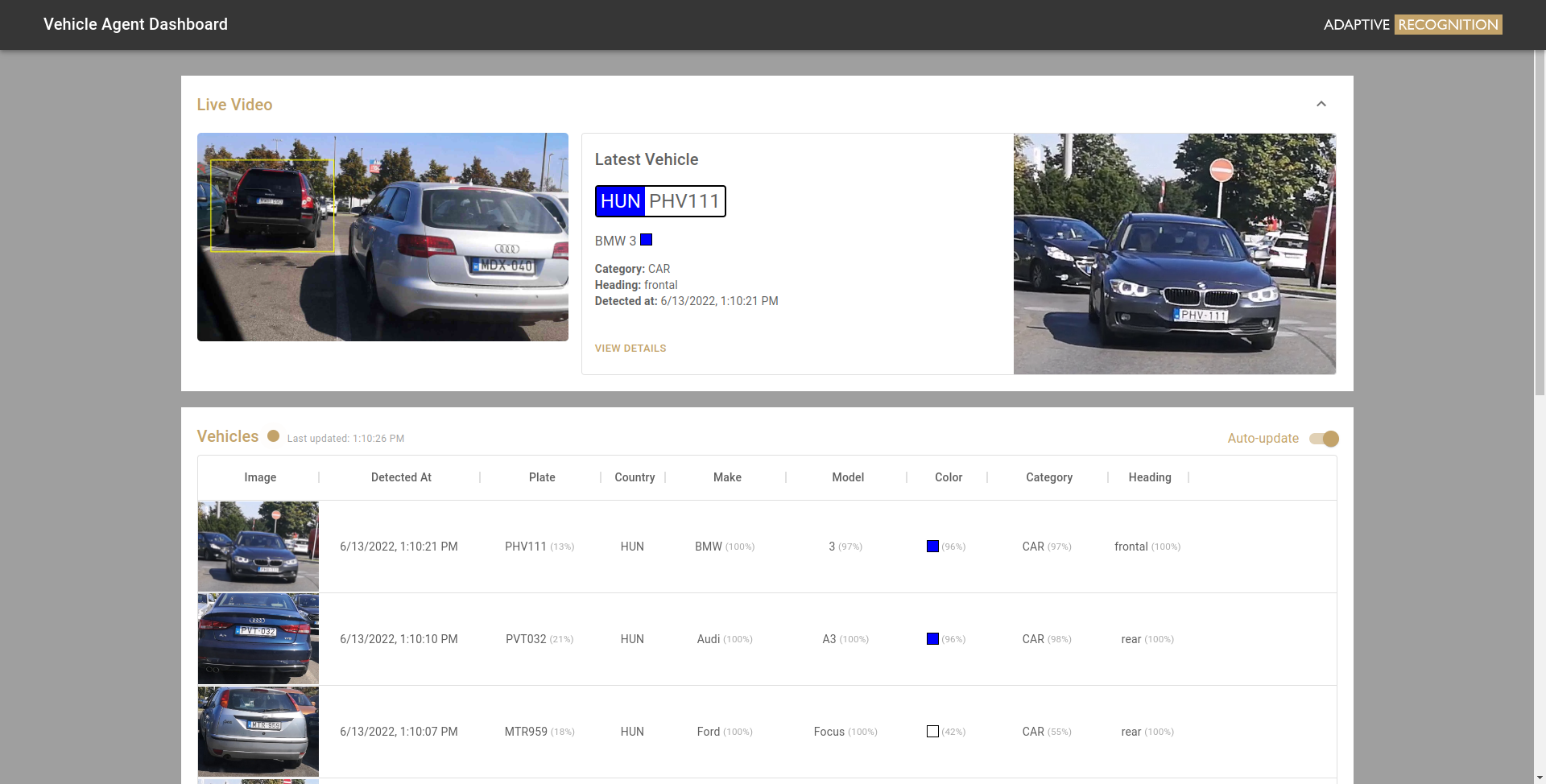
Wait a few seconds after the container starts and open http://localhost:8000 in your browser. If everything goes well, you should see the following screen: