
Enabling Event Storage
As discussed earlier, enabling Event Storage is a prerequisite for using Hooks.
Please note that by enabling storage, you implicitly allow storing all data and images sent to the API endpoints for 24 hours.
You can enable storage using two methods:
- On the Cloud Dashboard (web UI)
- Via the Carmen Cloud API (HTTP API)
Enabling Storage using the Cloud Dashboard
Go to the Storage & Hooks page on the Cloud Dashboard and log in if you haven't already done so.
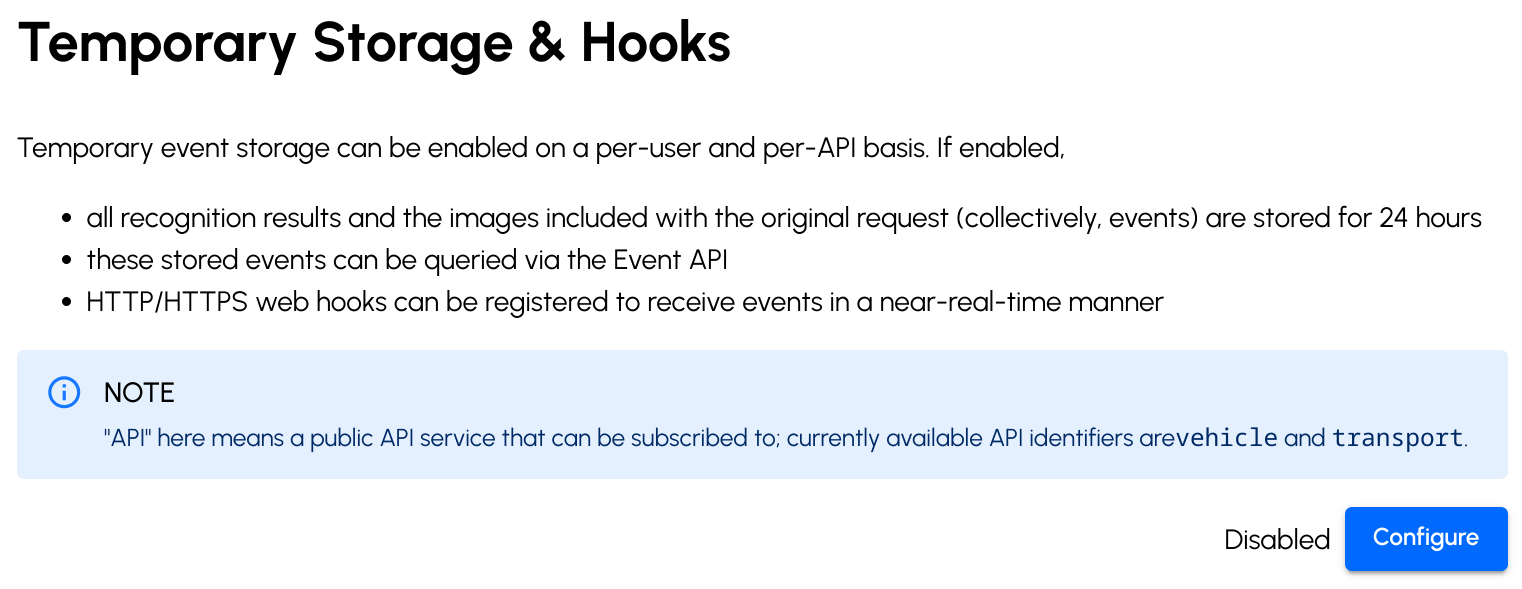
Click the "Configure" button in the lower right corner next to the "Disabled" label.
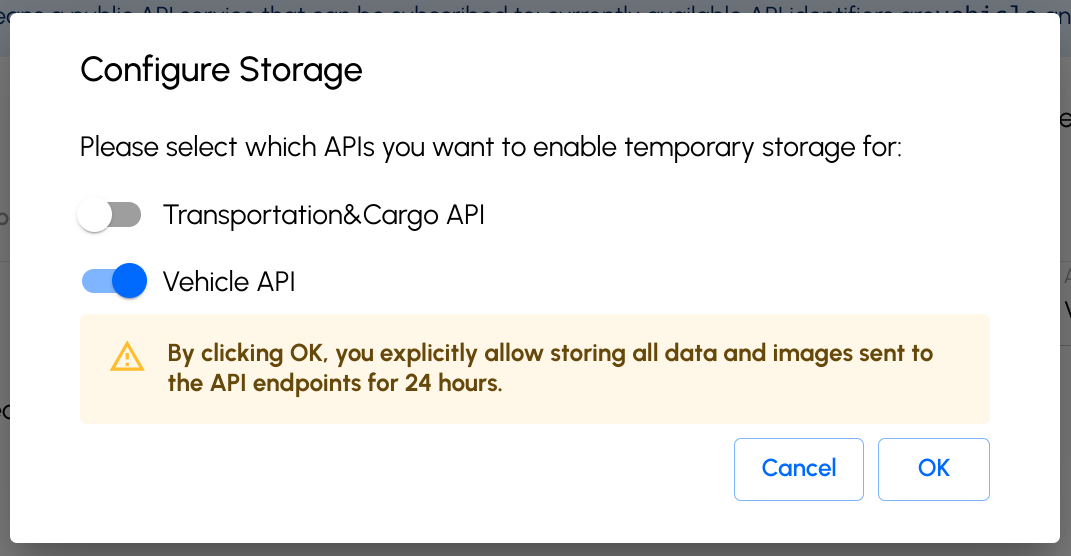
Read the warning in the popup window carefully, and if you understand and accept the data security implications, click Yes.
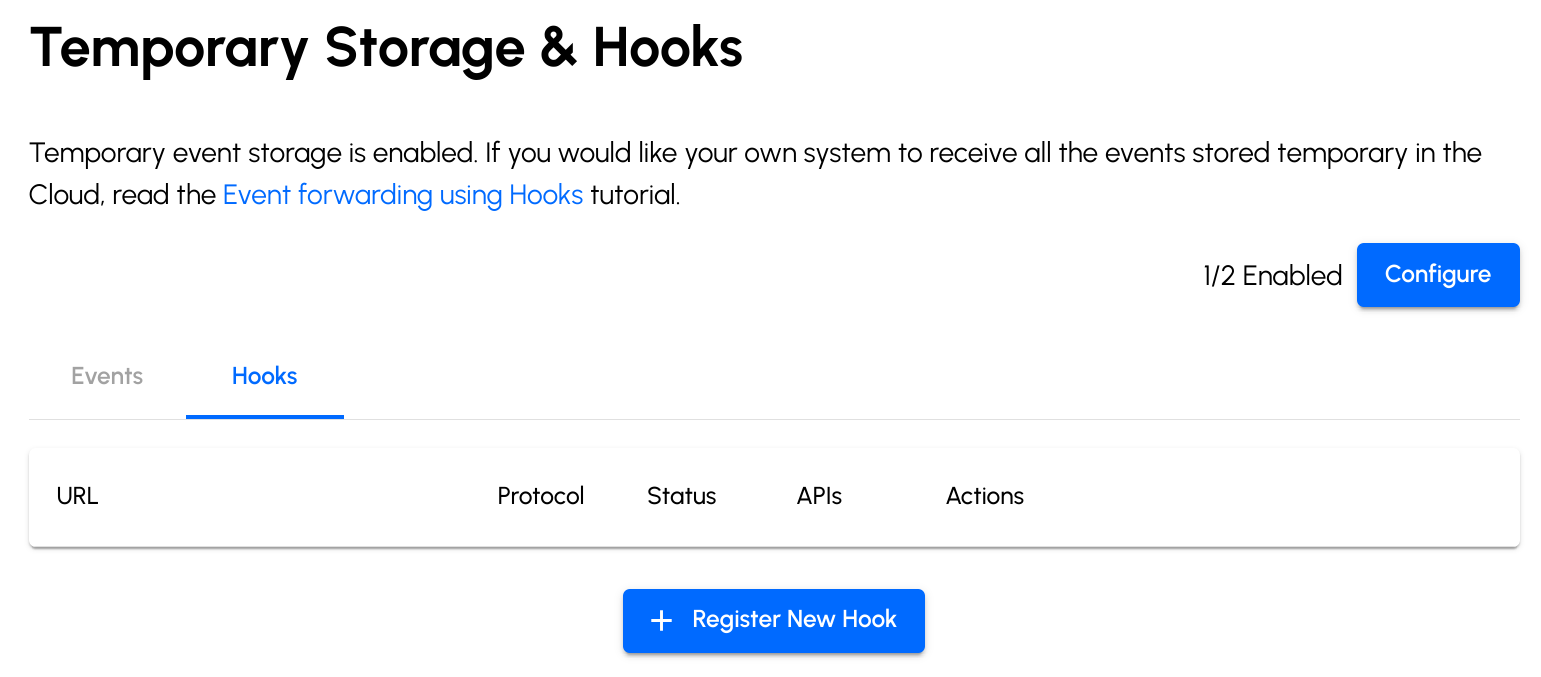
The toggle in the upper right corner turns on and its text changes to "Enabled" indicating that temporary storage is now enabled and hooks are available.
Enabling Storage using the Carmen Cloud API
You can also enable storage programmatically using the Carmen Cloud API.
First exchange your API key for a short-lived bearer access token (see the Authentication reference):
- cURL
- Python
- JavaScript
curl -X POST \
    -H 'x-api-key: <api-key>' \
    https://api.carmencloud.com/auth/token
import requests

token = requests.post(
    "https://api.carmencloud.com/auth/token",
    headers={"x-api-key": "<api-key>"},
).json()
// Node.js 18+ (fetch is built in)
const token = await fetch("https://api.carmencloud.com/auth/token", {
  method: "POST",
  headers: { "x-api-key": "<api-key>" },
}).then((response) => response.json());
The response contains an access_token and your workspace_id. Then send an HTTP PATCH request to the /workspace/{workspaceId}/storage/status endpoint:
- cURL
- Python
- JavaScript
curl -X PATCH \
    -d '{ "vehicle": true }' \
    -H 'Authorization: Bearer <access-token>' \
    -H 'Content-Type: application/json' \
    https://api.carmencloud.com/workspace/<workspace-id>/storage/status
response = requests.patch(
    f"https://api.carmencloud.com/workspace/{token['workspace_id']}/storage/status",
    headers={"Authorization": f"Bearer {token['access_token']}"},
    json={"vehicle": True},
)
response.raise_for_status()
print(response.json())
const response = await fetch(
  `https://api.carmencloud.com/workspace/${token.workspace_id}/storage/status`,
  {
    method: "PATCH",
    headers: {
      "Authorization": `Bearer ${token.access_token}`,
      "Content-Type": "application/json",
    },
    body: JSON.stringify({ vehicle: true }),
  }
);

if (!response.ok) throw new Error(`HTTP ${response.status}`);
console.log(await response.json());
The token is valid for 60 minutes; request a new one when it expires. See the Carmen Cloud API reference for the full contract.