
Registering the Hook
You can register a Hook using the Cloud Dashboard web UI.
Before proceeding with either method, make sure that the test server we have set up in the previous section is running and that you have a console window open where you can watch its standard output.
Registering a Hook using the Cloud Dashboard
Go to the Storage & Hooks page on the Cloud Dashboard and log in if you haven't yet authenticated.
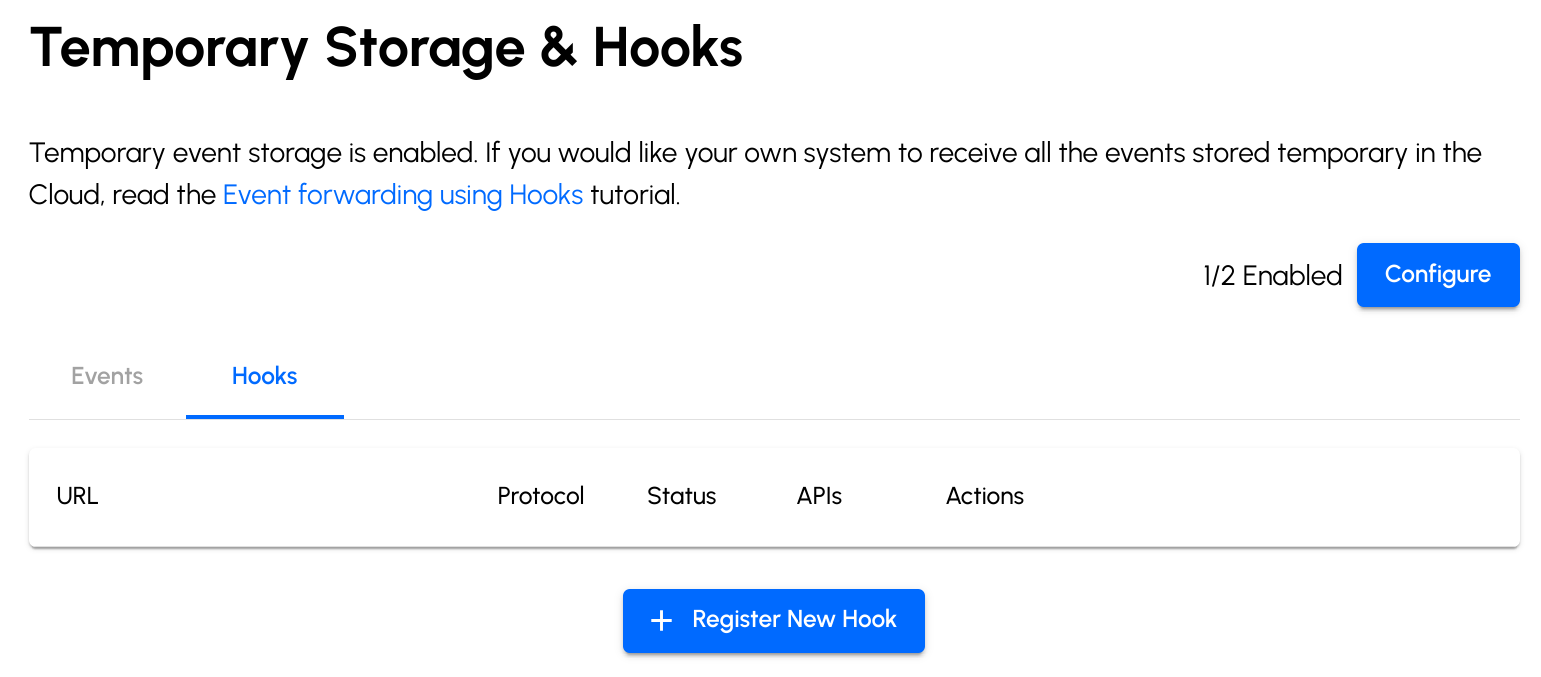
Switch to the Hooks tab and click the "Register New Hook" button.
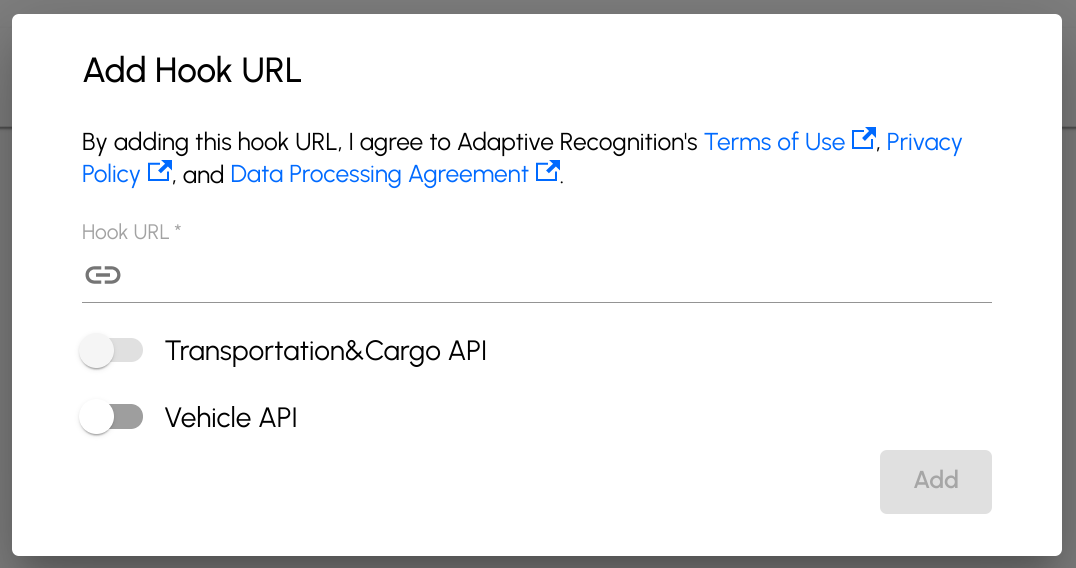
Enter a URL your test server will respond to, select the API(s) you would like to subscribe to, and click the Add button.
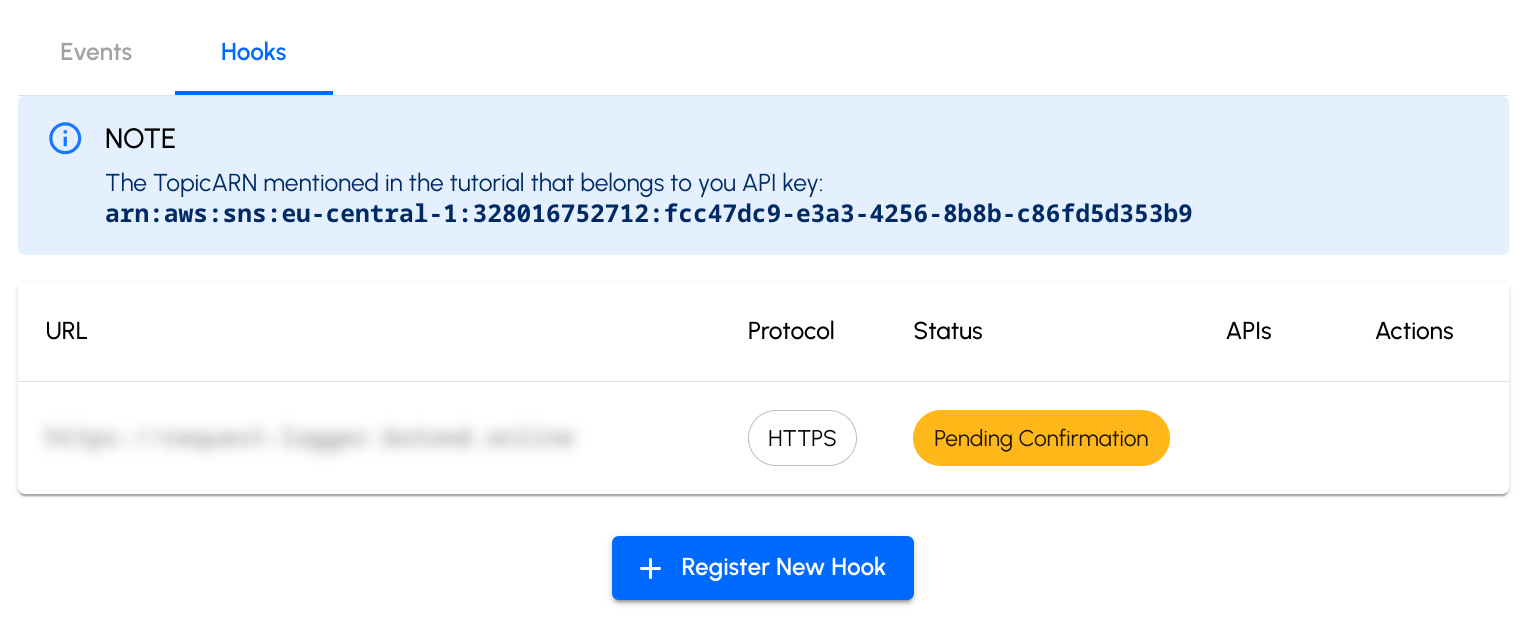
The console now lists the newly registered hook as pending.
After registration, the hook is represented by an object like this:
{
  "status": "pending_confirmation",
  "protocol": "https",
  "apis": ["vehicle"],
  "hookUrl": "<hook-url>",
  "topicName": "79ab71e2-6485-41cc-aa28-0cdd0c385ff1"
}
The status property shows that the hook has not been confirmed yet. The topicName property contains the name of the SNS topic that must match the name in the subscription request. You can check this when processing the subscription for added security.
Hooks can also be managed programmatically via the
Carmen Cloud API: exchange your API
key for a bearer access token (see the
Authentication reference), then call the
/workspace/{workspaceId}/storage/hooks endpoints.